mcpstore
基于 Rust 构建的 MCP 管理






## 为什么使用 mcpstore
mcpstore 基于 Rust 构建,性能强、开销低。架构类似 Kubernetes 的控制面 / 数据面:控制面负责编排,数据面专注调用;资源受限时只需挂数据面,即可免维护调用已共享的 MCP。提供 SDK,方便嵌进应用与 Agent。
## 快速开始
```bash
npm install -g ip2a@mcpstore
```
or
```bash
curl -fsSL https://raw.githubusercontent.com/ip2a/mcpstore/main/install.sh | bash
```
想用代码集成?→ [通过 SDK 使用](#sdk-使用)
## CLI 使用
通过 CLI 管理 MCP 服务与运行状态。安装见上方「快速开始」。
添加、连接、重启或删除服务:
```bash
mcpstore add wiki https://example.com/mcp
mcpstore list
mcpstore connect wiki
mcpstore remove wiki
```
查看本地配置,或打开 Web UI:
```bash
mcpstore config show
mcpstore web
```
对外暴露 HTTP API:
```bash
mcpstore api --host 127.0.0.1 --port 1820
```
## 桌面应用(Beta)
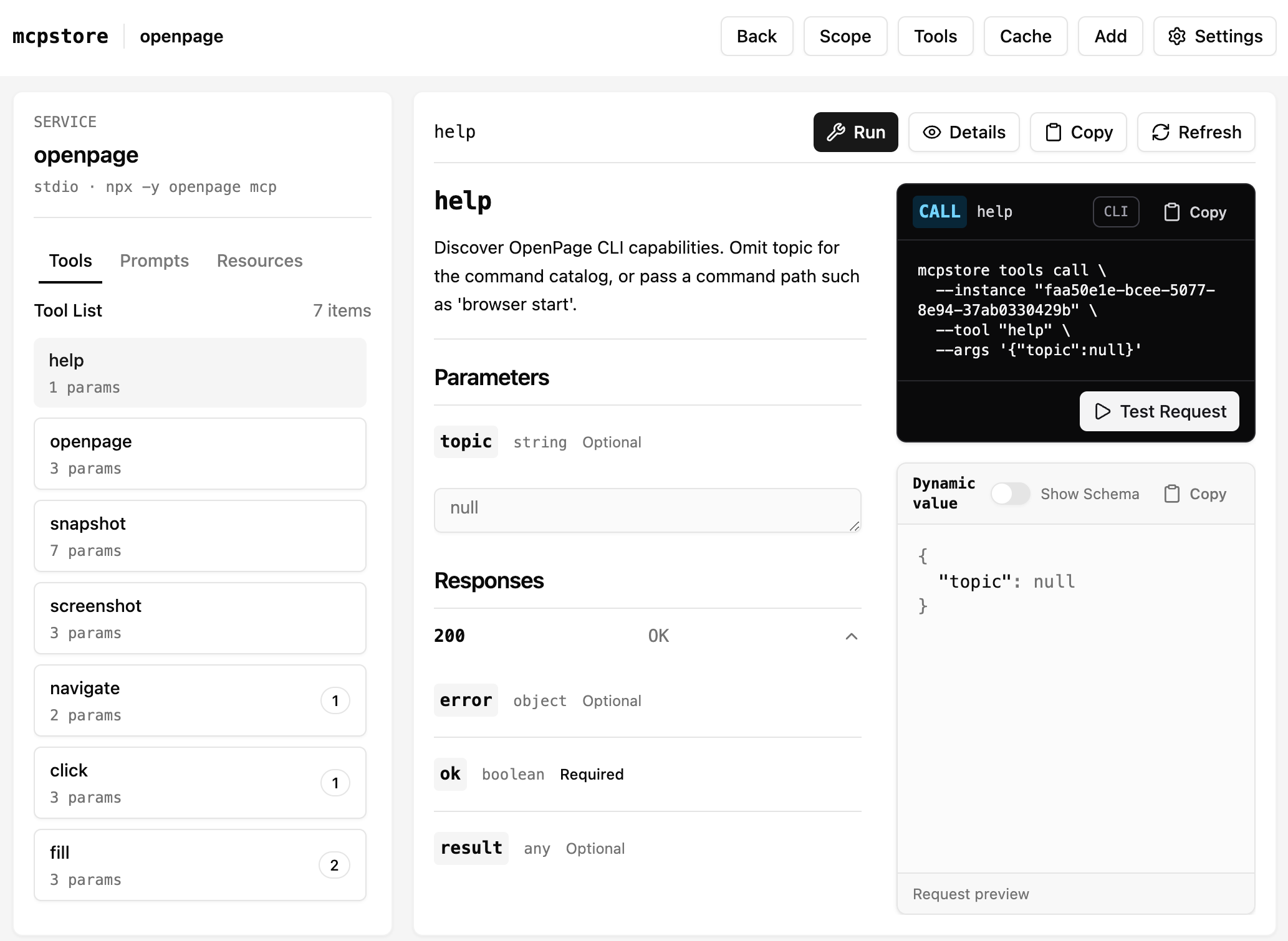
图形界面即控制面:管理 MCP 服务与工具,可查看参数、试跑调用。当前为 Beta,可从 [GitHub Releases](https://github.com/ip2a/mcpstore/releases/latest) 下载。
## SDK 使用
通过 Python SDK 或 Rust Lib 将 mcpstore 集成到自己的应用中。
Python
### 安装
```bash
pip install mcpstore
```
### 快速上手
初始化 `store`:
```python
from mcpstore import MCPStore
store = MCPStore.setup_store()
```
通过 `store.for_store()` 管理全局作用域内的 MCP 服务和工具。
#### 添加第一个服务
```python
store.for_store().add_service({
"mcpServers": {
"mcpstore_wiki": {
"url": "https://example.com/mcp"
}
}
})
store.for_store().wait_service("mcpstore_wiki")
```
#### 转换为 LangChain 工具并使用
```python
from langchain.agents import create_agent
from langchain_openai import ChatOpenAI
tools = store.for_store().for_langchain().list_tools()
llm = ChatOpenAI(
temperature=0,
model="your-model",
api_key="sk-*****",
base_url="https://api.xxx.com",
)
agent = create_agent(model=llm, tools=tools, system_prompt="你是一个助手")
events = agent.invoke({
"messages": [{"role": "user", "content": "mcpstore 怎么添加服务?"}]
})
print(events)
```
| 框架 | 获取工具 |
| --- | --- |
| LangChain | `tools = store.for_store().for_langchain().list_tools()` |
| LangGraph | `tools = store.for_store().for_langgraph().list_tools()` |
| OpenAI | `tools = store.for_store().for_openai().list_tools()` |
| AutoGen | `tools = store.for_store().for_autogen().list_tools()` |
| CrewAI | `tools = store.for_store().for_crewai().list_tools()` |
| LlamaIndex | `tools = store.for_store().for_llamaindex().list_tools()` |
#### 为 Agent 分组
使用 `for_agent(agent_id)` 为不同 Agent 建立独立作用域:
```python
store.for_agent("agent1").add_service({
"name": "mcpstore_wiki",
"url": "https://example.com/mcp",
})
store.for_agent("agent2").add_service({
"name": "github",
"command": "npx",
"args": ["-y", "@modelcontextprotocol/server-github"]
},
})
agent1_tools = store.for_agent("agent1").list_tools()
agent2_tools = store.for_agent("agent2").list_tools()
```
Rust
### 安装
```bash
cargo add mcpstore
```
### 快速上手
```rust
use std::time::Duration;
use mcpstore::{McpConfig, MCPStore, Result, ServiceTarget};
#[tokio::main]
async fn main() -> Result<()> {
let store = MCPStore::setup(None)?;
store
.for_store()
.add_service(McpConfig::from_json_str(
r#"{"name":"mcpstore_wiki","url":"https://example.com/mcp"}"#,
)?)
.await?;
store
.for_store()
.wait_service(
ServiceTarget::ServiceName("mcpstore_wiki"),
Duration::from_secs(30),
)
.await?;
let tools = store.for_store().list_tools().await?;
println!("loaded tools: {}", tools.len());
Ok(())
}
```
常用接口
| 动作 | 示例 |
| --- | --- |
| 添加服务 | `store.for_store().add_service(config)` |
| 查看服务信息 | `store.for_store().find_service("service_name").info()` |
| 更新服务 | `store.for_store().update_service("service_name", new_config)` |
| 重启服务 | `store.for_store().restart_service("service_name")` |
| 断开服务 | `store.for_store().disconnect_service("service_name")` |
| 删除服务 | `store.for_store().remove_service(service_name="service_name")` |
| 列出服务 | `store.for_store().list_services()` |
| 列出工具 | `store.for_store().list_tools()` |
| 列出当前作用域 Prompts | `store.for_store().list_prompts()` |
| 查看配置 | `store.for_store().show_config()` |
| 列出 Agent | `store.list_agents()` |
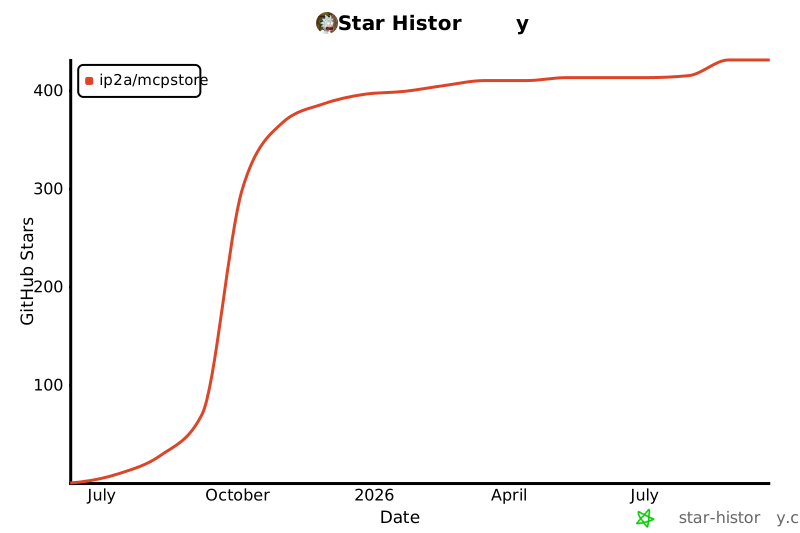
## Star History
[](https://star-history.com/#ip2a/mcpstore&Date)
---
欢迎通过 Issues 提交问题与建议。